English
Create content people can find.
Write pages and articles, add useful images, and publish in your languages. Connect what visitors read to forms, search and the people who manage your content.
Editing is unavailable while this preview is loading or blocked. You can still browse the included examples.
Example library
Browse the authored articles, included images and responses from the project form. Open an item to edit its existing content or review its example record.
3 items
| Title | Topic | Copy state | Actions |
|---|---|---|---|
| What you can build with Kottoko Choose the kind of project you need, then add the features that support it. | Getting started | Authored example | |
| From a form to a response See how a visitor submission becomes a response you can review in the owner view. | Content and forms | Authored example | |
| How product updates preserve your work Understand the difference between the product foundation and the content you own. | Project ownership | Authored example |
Included image library. Uploads and original-file management are unavailable in this public example.
Image details
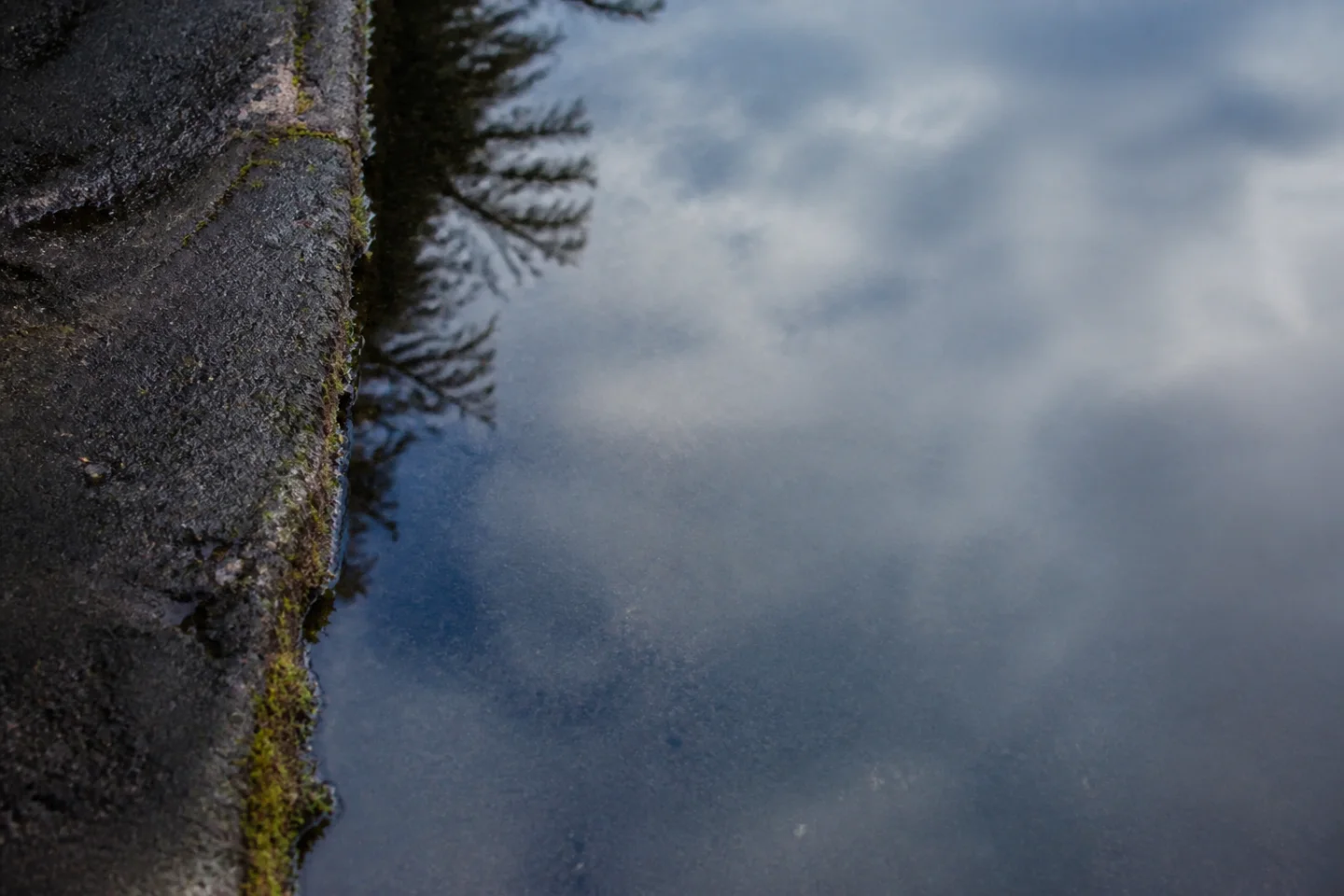
rain-route-edge-landscape-1440.webp
- Dimensions
- 1440 × 960
- Article placement
- Selected for this article
The selected image also appears in the Content page and collection previews for this article.
Choose an image for this article in the selected language. Image descriptions are kept when you switch images.
This example uses the included image library. Uploads and file management belong to your installed project.
Alternative text and caption belong to this article and language. The original file and other articles are unchanged. This article’s placements reuse its selected image and description.
Declared references are eligible assets, not a count of current usages.
These are draft changes. Open the Image editor to Save or Restore them.
Article work
Find an article, review its copy and open the same editor.
Editing is unavailable while this preview is loading or blocked. You can still browse the included examples.
4 items
| Title | Topic | Copy and review | Actions |
|---|---|---|---|
| Rain at the edge of the route. A note on interruption, attention, and what wet surfaces reveal. | Field & Fold | Authored example No review version yet No scheduled action | Editing needs an available preview and permission for this article and language. |
| What you can build with Kottoko Choose the kind of project you need, then add the features that support it. | Getting started | Authored example Text editing example. Review versions are unavailable for this article. | Editing needs an available preview and permission for this article and language. |
| From a form to a response See how a visitor submission becomes a response you can review in the owner view. | Content and forms | Authored example Text editing example. Review versions are unavailable for this article. | Editing needs an available preview and permission for this article and language. |
| How product updates preserve your work Understand the difference between the product foundation and the content you own. | Project ownership | Authored example Text editing example. Review versions are unavailable for this article. | Editing needs an available preview and permission for this article and language. |
Pages and articles
Use pages for lasting information and articles for a growing collection. Reuse layouts for journals and portfolios while each item keeps its own words and images. Open this article to edit its title, introduction, sections and image.
Browse the article collectionRain at the edge of the route.
A note on interruption, attention, and what wet surfaces reveal.
Rain changes the plan. The direct route narrows, familiar marks disappear, and a surface that usually recedes begins to answer the sky. The interruption is useful because it asks for a slower pace before it asks for an explanation.
Open the example articleThis is the same article used throughout the website example. Your saved edits appear in its reader and collection.
Portfolio and detail pages
Show a collection, open an item, and edit its content.
Matching examples: 3
Rain at the edge of the route.
A note on interruption, attention, and what wet surfaces reveal.
Sample content. Your edits are shared with the reader.
Images, with context
Choose an included image, describe it for this article, and see where it appears.
Selected article image
Description for this article
- Alternative text · English
- Rainwater reflecting the sky beside a pavement edge.
- Caption
- No caption added
Image editing is unavailable while this preview is loading or blocked. Existing draft changes are kept.
Descriptions belong to this article and language.
Where this article image appears
These are example placements, not a production usage count.
Before a new image can be used
- Processing
- Images are selectable after required versions are ready.
- Original files
- Originals stay private; prepared versions appear on the website.
- Storage and backup
- Installed projects report capacity and backup coverage.
- Review required
- Rights and malware checks may still need review.
Browser example. Uploads and original-file management are unavailable.
Your content, in your languages
Keep authored translations together and edit the language you select in the header. Each translation can have its own text, image description and review state.
One article, three authored titles
These are the article’s actual saved titles. Use the language control above to read and edit a translation.
- Rain at the edge of the route.EN
- Regn vid färdvägens kant.SV
- Shi në skajin e rrugës.SQ
Language selection does not translate your writing automatically. Missing translations use the configured fallback and need review before publication.
Review how your page is described.
Check the title and summary used for search and link sharing. Then review each language before publishing.
Search and sharing
Local example
English · Reviewed output
See how a visitor submission becomes a response you can review in the owner view.
Link preview
See how a visitor submission becomes a response you can review in the owner view.
This is a text preview. Search engines and sharing apps may display it differently.
Editing is unavailable here. You can inspect the reviewed example.
Page address and language links
- Page address
- https://kottoko.com/en/articles/from-a-form-to-a-response
- Other language addresses
- Englishhttps://kottoko.com/en/articles/from-a-form-to-a-response
- Svenskahttps://kottoko.com/sv/articles/from-a-form-to-a-response
- Shqiphttps://kottoko.com/sq/articles/from-a-form-to-a-response
The article title and summary supply this text.
Language review
The selected version has been reviewed.
Language selection does not translate your writing automatically.
Read the saved articleChanges stay in this browser. Nothing is published.
Before you publish
- Review the page title and summary
- Finish and review each translation
- Confirm which pages are public
What this example shows
Inspect titles, summaries, language versions and fallback in a local preview. A page address, language link or sitemap entry does not confirm indexing, ranking or translation quality.
Help readers find the next article
Search the writing in the language you are reading. Open a result, or clear the search and start again.
Read the guide3 articles
- Inspect article
What you can build with Kottoko
Choose the kind of project you need, then add the features that support it.
Getting startedFirst section · Current Editor preview
Start with the job
A small publishing site needs pages, articles, images and a way for visitors to find them. A service site may also need a form. A shop adds products, checkout and an order view. Kottoko brings these parts into one starting project so you can choose what belongs in yours.
- Inspect article
From a form to a response
See how a visitor submission becomes a response you can review in the owner view.
Content and formsFirst section · Current Editor preview
Ask a clear question
A useful form asks only for the information needed for the next step. In the working example, a visitor enters a project name, chooses website, app or both, and describes a goal. Each field has a clear label, so the visitor knows what to provide.
- Inspect article
How product updates preserve your work
Understand the difference between the product foundation and the content you own.
Project ownershipFirst section · Current Editor preview
Know what belongs to you
Your pages, article text, media, form responses and project settings are part of your project. Kottoko’s foundation provides the reusable application code and contracts around them. Keeping these responsibilities clear makes an update easier to review.
This example filters three authored articles in your browser. Search in your installed project uses its configured content sources and access rules.
A response, from both sides
Send a sample enquiry. The visitor gets a receipt; the owner sees the same answers.
Read the form guideVisitor
Plan your project
Describe what you want to build. Try editing this page and its form, then send a response to see it in the owner dashboard.
Project details
Give your project a name and describe its main purpose. All fields are required.
Owner
Form responses
Review the responses you send in this example. This owner view only contains your demo activity.
This example keeps responses in this browser tab and sends no email. Real submissions use published forms and the permissions and retention rules in your project.
Review, publish and revise
Prepare an article, review its translations and choose when approved content should appear. Keep earlier revisions and control whether content is visible to visitors.
Try saving and restoring an articleSave a draft here
Change the article’s review state, choose show and hide dates, and save the same choices in the editor. This browser example does not publish content or send review requests.
What publishing needs in your project
Publishing and approval require the appropriate project permissions. Scheduled actions also need the project’s scheduler and queue workers running. Review the selected time and time zone before scheduling.
A stopped or failed schedule needs review before retrying. Cancel an unwanted schedule or unpublish content through the permitted controls; disabling a feature preserves its saved content.
Manage content in your project
Use Content for articles and revisions, Media for files and usage, and Scheduling for timed actions. These workspaces use your project’s access rules.
Management requires sign-in and permission in the current project. The public example does not grant access or change production content.
Read the current capability and release statusBuild a website or app.With the core features included.
Kottoko is a starter project for websites and apps. It includes pages, user accounts, forms, and online store features you can customize instead of building from scratch.
The features you need, already built in.
See your changes as you make them.
Edit content, tune the design and choose features against the same website your visitors see.
Make Kottoko your own.
Change the heading and accent in this miniature page. It uses the same heading, field, and color controls as the website.
Make Kottoko your own.
Change the heading and accent in this miniature page. It uses the same heading, field, and color controls as the website.
What you can build
Explore starting points for websites, shops and member experiences.
Websites
Publish your ideas, work and resources.
Commerce
Sell products, downloads and subscriptions.
Members & apps
Create spaces for members and customers.
Growth
Connect with your audience and understand what works.
Design
Shape the look and feel of your project.
Operations
Keep your project connected and running.
Questions before you start.
Is Kottoko for websites or apps?
Both. Start with public pages, then use accounts, dashboards, forms, commerce, and other included features as your idea needs them.
Do I need to write code?
The editor lets you try supported content, design, and feature choices visually. Building custom behavior, connecting services, and deploying the project can require a developer or coding agent.
Are payments and email ready to use?
The payment integrations currently support test mode. These browser examples do not charge money or send transactional email. Live payment support still needs implementation and review; email delivery needs its own provider setup.
How do updates work?
Review how a change affects your project, prepare a backup, and check the result before release. Your hosting and setup determine the recovery steps.
Can I download Kottoko now?
Public downloads are not open yet. Explore the examples and documentation, or join the list below for launch updates.
Build your next project with a head start.
Get launch news, new examples, and product updates.
Confirm by email. Leave anytime. Read our privacy notice.